How to Find Subreddits: 7 Ways to Find the Right Communities
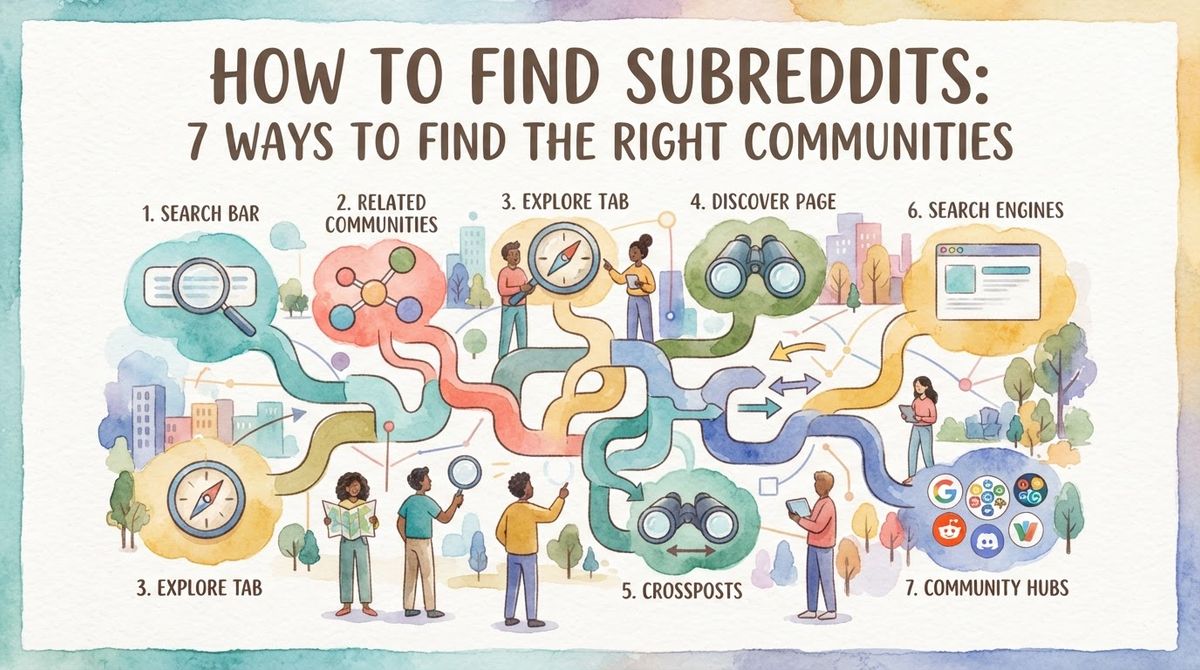
To find subreddits, search your topic on Reddit and switch the results to the Communities tab, then open the best match and follow the related subreddits its moderators link in the sidebar or About section. When Reddit search comes up empty, run a Google query with site:reddit.com "your keyword" or ask in r/findareddit. Then rank whatever you find by posts per day and the self-promotion rules, not by member count, because a 51K-member sub can be more active than a 1.8M one.
That is the short version. The rest of this guide breaks down all seven methods, shows you how to check whether a community is worth your time, and explains why the subscriber number you see at the top of a subreddit is the worst signal to trust. Reddit has more than 100,000 active communities, and its own discovery tools are weak, so the real skill is knowing where to look and what to measure once you get there.

7 ways to find subreddits
No single method finds everything. The people who end up in the right communities use three or four of these together, then validate before they commit. Here is each one, in the order I'd actually run them.
1. Search Reddit and switch to Communities
This is the native starting point. Type your topic into Reddit's search bar, run it, then click the Communities tab so you see matching subreddits instead of individual posts. The Communities tab returns subreddits that match a keyword rather than posts, which is exactly what you want when you're mapping a topic.
Here's the thing most people miss: the words you type matter more than the search itself. Use your audience's own language, not your marketing language. Search the job title, not the activity. r/recruiting, r/sysadmin, and r/paralegal are all real, busy communities you'd never reach by searching "HR software" or "IT solutions." Try the singular and the plural too, since "startup" and "startups" surface different clusters.
A small trick that speeds this up: type r/ followed by the first few letters directly in the search box and Reddit auto-suggests communities as you go. Note that subreddit URLs are not case-sensitive, so reddit.com/r/saas and reddit.com/r/SaaS load the same page. You won't break anything by guessing the capitalization.
What I wish someone had told me early: Reddit's own search ranks by subscriber count, so smaller active communities get buried under giant dead ones. If the top three results feel too broad, keep rephrasing before you give up.
2. Google with site:reddit.com
Reddit's internal search is genuinely bad, and Google indexes Reddit better than Reddit does. Google indexes recent Reddit reliably where other engines lag, which makes it the second tool to reach for. Two query patterns do most of the work:
- site:reddit.com "keyword": surfaces threads and subreddit pages that mention your exact term, including recommendation threads Reddit's own search never shows.
- site:reddit.com "alternative to" [category]: finds the threads where people are actively asking for tools or products in your space. These are the conversations with buying intent, and they tell you which subreddits those buyers hang out in.
Scan the results and notice which subreddits keep recurring. A sub that shows up across five different Google results for your topic is almost always more useful than the one with the biggest subscriber badge. This is also the fastest way to understand where buyers discuss products like yours before you ever write a word.

3. Follow related communities in the sidebar
Once you've found one good subreddit, it points you to more. On desktop the sidebar lists related communities; on mobile the same links live under the About tab. Many communities have a "Related Subreddits" or "Similar Communities" section linking to others in the same space, curated by the moderators who know the niche better than any algorithm.
Chain it. Open each related sub, read its sidebar, and follow the links from there too. One subreddit leads to three, which lead to nine. This takes longer than you'd expect, maybe fifteen minutes to map a niche properly, but it surfaces the small, specialized communities that no keyword search will ever rank at the top.
4. Mine the profiles of the people asking your questions
Find a thread where someone is asking exactly the question your product answers, then open that person's profile and look at where else they post. The communities that come up again and again share the same audience. This is the single best way to find subreddits that match a specific buyer rather than a broad topic.
Fair warning: some users hide their activity, so this won't work on every profile. When it does, it's gold, because you're following a real buyer's footprints instead of guessing. A structured way to look up a user's posting history makes this faster than clicking through by hand.
5. Ask in r/findareddit (or r/NewToReddit)
When search fails, ask humans. r/findareddit (588K members as of October 2026) exists for exactly this: you describe what you're looking for and people who actually participate in those communities point you there. Posting a specific request there typically returns three to five quality suggestions within a few hours.
Be specific in your ask. "Subreddits about indie game dev smaller than r/gamedev" gets better answers than "any gaming subs?" If your question is really about how Reddit itself works, r/NewToReddit (1.2M members) is the better room. Keep the two straight: one finds communities, the other explains the platform.
6. Browse the big lists and directories
Sometimes you want to scan a whole category at once. A few standing lists do that:
- old.reddit.com/subreddits: Reddit's raw directory of communities, browsable and sortable.
- r/ListOfSubreddits (204K): curated roundups grouped by theme.
- r/newreddits (142K): where people post brand-new communities, useful when you want to find new subreddits before they get crowded.
- Industry lists from tools like RankCow's subreddit index, which groups communities by niche and shows activity next to each name.
If you want a browsable, category-sorted starting point, a roundup organized by topic and niche saves you from building the map yourself. Lists are best for discovery, not for decisions. You still have to open each one and check whether it's alive, which brings us to the validation step below.
7. Use a subreddit finder built for buyer intent
A dedicated finder closes the gap that Reddit's own search leaves open. The good ones work two ways: give them a subreddit you already like and they return related communities pulled from what moderators link, and when that list runs thin they fall back to where the sub's top posters also post. That second signal, real posting overlap, is how you find communities that share an audience without sharing a name.
RankCow's free subreddit finder goes further than a name list. For each community it shows member count, posts per day, the rules, the top posters, and the best time to post, so you're making a decision with activity data in front of you instead of a subscriber badge. If you're a founder, the curated list for startups is a faster entry point than searching from scratch.
One note on the competition: GummySearch, a popular option for years, stopped taking new users in November 2025, which sent a lot of people hunting for replacements. If that's you, a side-by-side of the current alternatives and what each one does is worth a read before you pick.
How to find the right subreddit: five checks
Finding subreddits is easy. Finding the right ones is the part that saves your time. Before you invest in any community, run it through these five checks. The whole thing takes about two minutes per sub.
| Check | Where to look | Good sign | Red flag |
|---|---|---|---|
| Activity | New tab; posts per day | Fresh posts today, comments within the hour | Top post is weeks old, no replies |
| Buyers ask questions there | Search the sub for "recommend," "alternative to," "best" | Multiple real buying-intent threads | Only memes and news, no questions |
| Self-promotion rule | Sidebar rules and wiki, or the self-promotion directory | A clear path to share (flair, weekly thread) | Blanket ban on anything commercial |
| Entry requirements | Rules and AutoModerator replies | Open to new accounts | Hidden karma or account-age minimums |
| Moderation | Recent removed posts, mod comments | Active but fair mods | Heavy-handed removals, dead mod team |
The one that trips people up most is entry requirements. Plenty of subs enforce a karma minimum or an account-age gate that isn't written in the sidebar at all; you only find out when AutoModerator silently removes your post. If you're working with a fresh account, it helps to understand how karma thresholds work before you post so you don't waste a good comment on a removal.
The self-promotion rule is the other make-or-break. Some communities welcome vendors in a specific thread, others ban them outright. In the first group, most big subreddits route promotion into a pinned weekly or monthly thread, and these 25 self-promotion threads quote each one's rule and cadence. Getting this wrong is the fastest way to a ban, so a running list of which subreddits actually allow self-promotion is worth bookmarking before you engage anywhere.
Why member count is the wrong number
Here's the real talk: the subscriber count at the top of a subreddit tells you almost nothing about whether it's worth your time. It counts everyone who ever clicked join, including people who left years ago. What matters is how many posts land per day and how long they stay visible. Look at the founder-focused communities, averaged from the RankCow subreddit index between August 22 and September 19, 2026:
| Subreddit | Members | Posts / day |
|---|---|---|
| r/startups | 1.8M | 41 |
| r/EntrepreneurRideAlong | 553K | 86 |
| r/Business_Ideas | 316K | 26 |
| r/SideProject | 289K | 960 |
| r/startup | 183K | 57 |
| r/sweatystartup | 160K | 4 |
| r/Startup_Ideas | 118K | 77 |
| r/ycombinator | 104K | 14 |
| r/indiehackers | 51K | 106 |
| r/cofounder | 50K | 4 |
Three takeaways from that table:
- Small can be busier than big. r/indiehackers has about 1/35th of r/startups' members but roughly 2.5x the posts per day. If you measured by subscribers, you'd pick the wrong room.
- Too busy is its own problem. r/SideProject runs around 40 posts an hour. That's great for a launch post that just needs eyeballs, but it buries any discussion within minutes. Don't expect a conversation to live there.
- Slow can mean sticky. r/sweatystartup gets about four posts a day, so a post there stays visible for days instead of minutes. Low volume isn't dead; it's long shelf life.
Match the activity rate to your goal. A launch wants volume. A discussion wants posts that stay on the page. A niche B2B pitch wants the small, slow sub where your comment sits at the top for a week.
Match the rules to your goal, too
Activity tells you half the story; the posting rules tell you the other half. Using the same three communities: r/startups only allows self-promotion inside its monthly Share Your Startup thread. r/indiehackers lets you post once with the SHOW IH flair. r/SideProject exists specifically for sharing projects, so promotion is the norm, not the exception. Same category, three completely different rulebooks. Read the sidebar before you write, every single time.
Keep the list current
Subreddits change. Mods tighten rules, communities go quiet, new ones spin up, and the sub that was perfect in January can be dead by June. A list you built once and never touched is a liability, not an asset. Two habits keep it fresh.
First, recheck activity on your core subs every month or two. Posts per day and the top-post timestamp tell you fast whether a community is still alive. Second, set up keyword alerts so new threads come to you instead of the other way around. Tracking your product terms, competitor names, and phrases like "recommend" or "alternative to" means you catch buying-intent conversations the day they appear. A step-by-step on setting up Reddit keyword alerts walks through the exact setup.

This is where tooling earns its keep. Instead of manually rechecking and scanning, RankCow finds the buyer-intent threads across your chosen subreddits around the clock, writes the reply in your own voice, checks the community's rules first, including the self-promotion policy, any karma gates, and the threads where vendors aren't welcome, and sends the replies and DMs to the hottest buyers automatically, on autopilot. Because well-placed Reddit threads rank on Google and get cited by AI assistants, a single good comment keeps pulling traffic long after the conversation cools. The full Reddit lead generation workflow ties the finding and the follow-up together so you're not doing either by hand.
Quick-reference checklist
Bookmark this. It's the whole process in one place.
- Search your topic on Reddit, switch to the Communities tab, and use your audience's exact words (job titles, singular and plural).
- Run site:reddit.com "keyword" and site:reddit.com "alternative to" [category] on Google; note which subs recur.
- Open your best match and follow the related communities in the sidebar / About tab. Chain outward.
- Open the profiles of people asking your questions; see where else they post.
- Stuck? Ask in r/findareddit (or r/NewToReddit for how-Reddit-works questions).
- Scan the lists: old.reddit.com/subreddits, r/ListOfSubreddits, r/newreddits, and category roundups.
- Run a finder that shows posts per day, rules, and top posters rather than member count alone.
- Validate each sub: activity, buyer questions, self-promotion rule, entry requirements, moderation.
- Rank by posts per day and rules, never by subscribers.
- Recheck monthly and set keyword alerts so new threads find you.
Frequently asked questions
How do I find a list of subreddits?
Browse old.reddit.com/subreddits for Reddit's raw directory, or use curated community lists like r/ListOfSubreddits (204K members) and r/newreddits (142K) for newly launched communities. Category roundups and a subreddit finder that groups communities by niche give you the same breadth with activity data attached, so you can sort by posts per day instead of scrolling an unranked list.
How can I find a specific subreddit?
Type r/ plus the first few letters in Reddit's search bar and let the autocomplete suggest the community, or go straight to reddit.com/r/name if you know it. Subreddit URLs aren't case-sensitive, so reddit.com/r/saas and reddit.com/r/SaaS load the same page. If Reddit's search can't find it, a Google query with site:reddit.com "name" usually surfaces it faster.
What are the 10 most popular subreddits?
By member count as of September 2026, the ten largest communities are r/funny (66.4M), r/AskReddit (51.6M), r/gaming (45.4M), r/worldnews (44.2M), r/todayilearned (39.7M), r/aww (37.6M), r/Music (36.4M), r/memes (35.3M), r/movies (34.4M), and r/Showerthoughts (34.0M). Useful trivia, but a reminder: these giant general subs are rarely the right place for a niche or business goal. Popularity and relevance are different things.
How do I find new subreddits?
Check r/newreddits (142K members), where people post brand-new communities, and browse the Discover section in Reddit's mobile app for personalized recommendations. Following the related-community links in a sub's sidebar and watching where active users migrate are the two best ways to catch rising communities before they get crowded.
How many subreddits should I focus on?
Start with three to seven communities you can actually keep up with, not dozens you'll never read. Depth beats breadth: being a known, helpful regular in a handful of active subs with clear self-promotion rules gets better results than shallow posting across twenty. As you learn which ones convert, prune the dead ones and add new finds from your monthly recheck.
Finding the right subreddits is only step one. RankCow monitors your chosen communities around the clock, spots the threads where buyers are actively looking for what you sell, checks each subreddit's rules, and sends helpful, on-voice replies and DMs to the hottest leads automatically. Turn Reddit's 100,000+ communities into a traffic asset that keeps working long after the conversation ends, start with the free subreddit finder and let the right threads come to you.