9 Best Blog Post Plugins for WordPress in 2026 (Ranked & Reviewed)
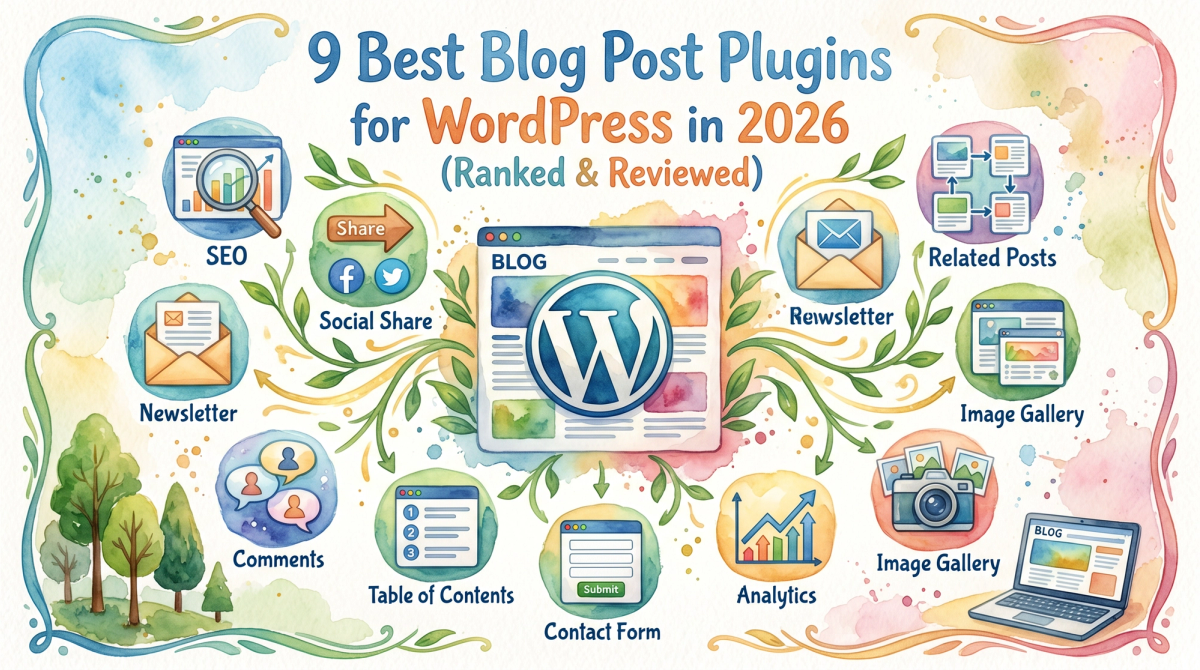
The right blog post plugin can be the difference between a WordPress site that ranks and one that collects dust. With over 60,000 plugins in the WordPress repository, most bloggers install too many, too randomly, and end up with a slow site that still doesn't rank. Let's get to it: here are the 9 plugins that actually move the needle for blog publishing, SEO, and growth in 2026.
This list covers every layer of a high-performing blog stack: on-page SEO, automated content publishing, site speed, spam protection, backups, social sharing, internal linking, and content display. We've tested these across real publishing workflows. Some we use daily. A few surprised us. One goes against everything the SEO influencer crowd tells you to prioritize.

Quick Comparison: Best WordPress Blog Post Plugins
| Plugin | Primary Use | Free Plan? | Best For | Starting Price |
|---|---|---|---|---|
| Rankcow | AI content autopublishing | No | SaaS founders, bloggers, SMBs | Flat monthly rate |
| Yoast SEO | On-page SEO optimization | Yes | Beginners, content teams | Free / ~$119/yr |
| Rank Math | Advanced on-page SEO | Yes | Power users, scaling sites | Free / $6.99/mo |
| AIOSEO | Full-suite SEO plugin | Yes | Growing businesses | Free / ~$49/yr |
| WP Rocket | Caching & site speed | No | Any site needing speed | $59/yr |
| UpdraftPlus | Backups | Yes | All bloggers | Free / $70/yr |
| Akismet | Spam protection | Yes | Comment-enabled blogs | Free (personal) |
| AddToAny | Social sharing buttons | Yes | Content-heavy blogs | Free |
| Revive Old Posts | Content redistribution | Yes | Blogs with 50+ posts | Free / $75/yr |
1. Rankcow — AI-Powered Blog Post Automation
This one changed how I think about the whole "blog post plugin" category. Everyone recommends installing an SEO plugin and then figuring out the rest yourself. But honestly, the bottleneck for 99% of WordPress bloggers is never the meta description. It's consistently producing the content in the first place.
Rankcow is not a traditional WordPress plugin in the plugin-directory sense. It operates as an end-to-end SEO automation platform that connects to your WordPress site via webhook, then handles keyword research, article writing, internal linking, image generation, and publishing automatically. The result: 30 long-form, brand-aligned blog posts per month published directly to your WordPress CMS, without you writing a single word. Users report an average 8.4x traffic lift. That's a real number, not a marketing slide.
What sets it apart from writing assistants like Jasper is the full pipeline ownership. Jasper writes if you prompt it. Rankcow identifies high-intent keywords with genuine ranking potential, writes around them, and publishes on a schedule. It also handles automated internal linking, which is one of the most consistently under-executed parts of any content strategy.
When to Use This
Use Rankcow when you need organic traffic but lack the time or team to maintain a consistent publishing cadence. It's built for SaaS founders, solo bloggers, and small business owners experiencing "SEO fatigue." If you've started a content calendar three times and abandoned it twice, this is your answer.
How to Implement It
- Sign up at Rankcow and connect your WordPress site using the webhook integration (works with WordPress, Webflow, Shopify, Framer, and more).
- Configure your brand voice so the AI mimics your tone rather than producing generic content.
- Review the keyword targets Rankcow surfaces based on your niche and competitive gap analysis.
- Activate autopilot and let the platform publish on schedule. Review content in your WordPress dashboard or set fully hands-off publishing.

2. Yoast SEO — The Baseline On-Page SEO Plugin
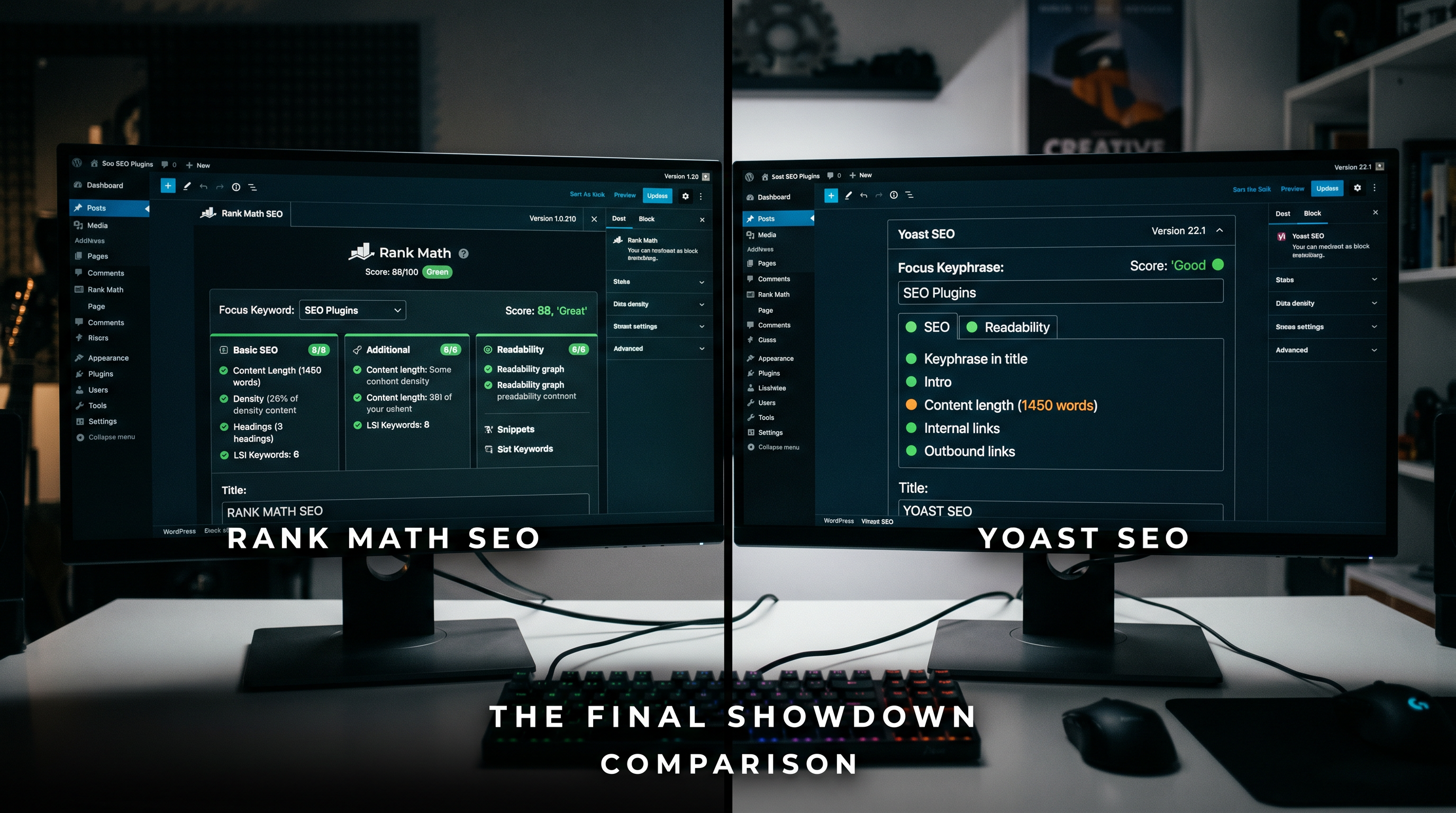
Yoast SEO is trusted by over 13 million websites globally as of 2026. That install count is a reason to take it seriously, and also a reason to think critically about whether it's right for your specific situation.
You can use this SEO plugin to optimize site pages for target keywords, generate SEO titles and meta descriptions, fix internal linking issues, manage redirects, and meet readability and technical SEO standards. The free version handles XML sitemaps, canonical URLs, and basic meta fields. The Premium plan, priced at ~$119/year, adds AI-generated title and description options plus multi-keyphrase optimization.
Honest take: Yoast is great for human writers who need guardrails. It can become prescriptive and push teams toward score-chasing. It's weaker if your team already knows SEO and hates being treated like children by traffic-light indicators. Use it as a workflow tool, not a ranking oracle.
When to Use This
Best for WordPress beginners, single-site owners who value stability, and teams that use Google Docs as part of their content workflow.
How to Implement It
- Install Yoast SEO free from the WordPress plugin repository and run the setup wizard.
- Configure your site's knowledge graph (organization or individual) and link Google Search Console.
- Enable the built-in XML sitemap and canonical handling to prevent duplicate-content issues automatically.
- For each new blog post, fill in the focus keyphrase, meta description, and SEO title before publishing. Aim for green lights, but don't sacrifice readability to get there.
3. Rank Math — Best SEO Plugin for Power Users
Rank Math combines on-page SEO tools, schema markup, redirects, and basic technical SEO features into a single plugin, with many capabilities available on the free plan. That free tier is genuinely generous compared to alternatives. Free of charge, it tracks 500k keywords, which is significantly more than the limits imposed by Yoast.
The 2026 version with AI keyword tracking and over 40 schema types gives it the edge again. Setup takes under five minutes: link Search Console, and it automatically imports your data so you can use it immediately.
The one real downside: the checklist-and-score approach can push users to optimize for the score rather than for search intent or strategy. Keep that front of mind.
When to Use This
Rank Math is the right pick for bloggers managing multiple sites, content teams with several authors, or anyone who wants advanced schema control without paying premium pricing. Shared rules, templates, and scoring make it easier to keep SEO consistent across multiple authors and pages.
How to Implement It
- Install Rank Math from the WordPress plugin directory and connect Google Search Console during the setup wizard.
- Set your default schema type for blog posts (typically "Article" or "BlogPosting").
- Use the Focus Keyword feature to optimize each post for 2-3 related keyphrases, not just one.
- Enable the Content AI module if you're on the Pro plan ($6.99/month) for AI-assisted content improvements before publishing.
4. AIOSEO — Best for Growing Business Sites
AIOSEO is one of the most popular and comprehensive WordPress SEO plugins, used by over 3 million websites. It helps improve your site's search engine visibility through advanced tools like schema markup, XML sitemaps, and on-page SEO optimization. Designed for ease of use, AIOSEO supports users with real-time SEO suggestions and Google-friendly formatting.
AIOSEO nails the "set it and forget it" vibe for busy site owners. Its TruSEO on-page analyzer gives scores before publishing, plus smart local SEO with Google My Business sync. If you run a local service business alongside your blog, that local SEO integration alone is worth the install.
When to Use This
AIOSEO suits growing businesses that want a plugin covering both blogging SEO and technical site structure without requiring a developer. It's particularly strong for WooCommerce stores that also run a content blog.
How to Implement It
- Install AIOSEO and run the setup wizard, which takes under 10 minutes with smart defaults.
- Run the SEO Audit Checklist on your existing blog posts to identify quick wins.
- Configure the TruSEO Score targets for your blog post template type.
- Enable Smart Schema Templates so every new post inherits the right structured data automatically.
5. WP Rocket — Site Speed for Blog Posts
Everyone recommends an SEO plugin first. But honestly, a slow-loading blog post hurts rankings before you've even optimized a single keyword. Website speed is very important for SEO and user experience. A slow website can reduce traffic, rankings, and conversions.
WP Rocket is the gold standard for WordPress caching. At $59/year for a single site, it's the one premium plugin where the cost-to-impact ratio is almost universally positive. It handles page caching, file compression, lazy loading, and database cleanup without you needing to understand any of it. Pair any SEO plugin with a cache plugin like WP Rocket for 2x speed gains.
When to Use This
Every WordPress blog should have a caching plugin. WP Rocket is the right choice if you want performance gains without touching server config. If you're on hosting with LiteSpeed servers (like Hostinger or some Cloudflare setups), LiteSpeed Cache is a solid free alternative.
How to Implement It
- Purchase and install WP Rocket. The plugin auto-configures most settings on activation.
- Enable LazyLoad for images and videos so blog posts with heavy media don't block initial page render.
- Enable Minify CSS and JavaScript under the File Optimization tab.
- Run a Google PageSpeed Insights test before and after to confirm the improvement. Most sites see Core Web Vitals scores jump 15-30 points.
6. UpdraftPlus — Blog Backup (Don't Skip This)
Backups are very important because websites can crash, get hacked, or lose data. Backup plugins help protect your website data. Every blogger should install a backup plugin.
UpdraftPlus has over 3 million active installations and is the most recommended backup plugin in the WordPress ecosystem. The free version backs up to Google Drive, Dropbox, Amazon S3, or email on a schedule you set. The Premium version ($70/year) adds incremental backups, multisite support, and migration tools.
This one is boring. That's the point. You only care about it once, and that's when something breaks.
When to Use This
Install UpdraftPlus the same day you launch your WordPress blog. Set it to back up weekly to an offsite location like Google Drive. If you publish daily, switch to daily backups. The time cost is under 5 minutes of setup.
How to Implement It
- Install UpdraftPlus from the WordPress plugin repository (free version is sufficient for most bloggers).
- Go to Settings → UpdraftPlus Backups and choose your remote storage destination.
- Set file backup and database backup schedules independently. Daily database backups are cheap and fast.
- Run a manual backup immediately to confirm the connection works, then restore-test on a staging environment at least once.
7. Akismet Anti-Spam — Comment Protection
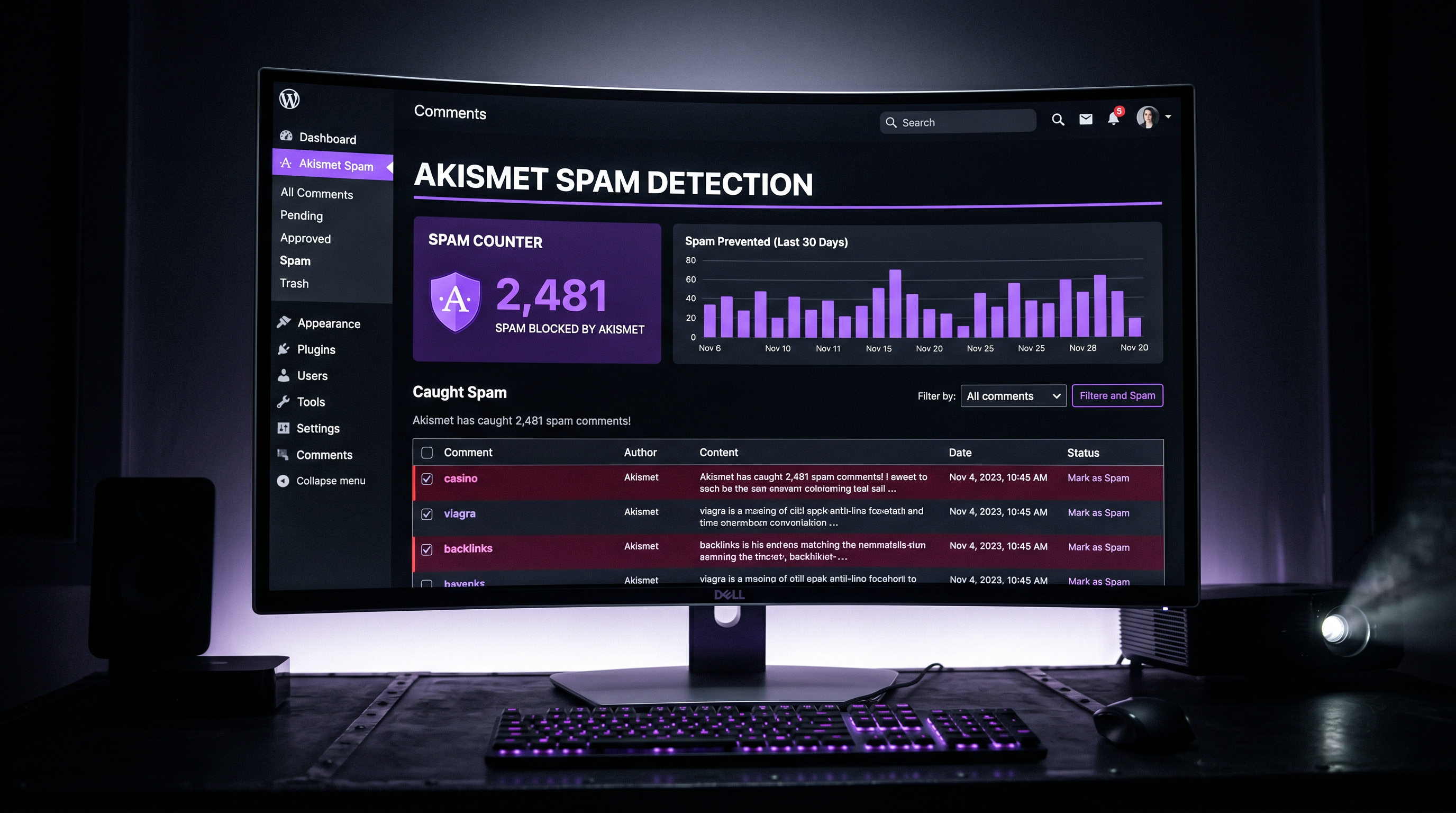
If your WordPress blog allows comments, Akismet is non-negotiable. It checks comments and contact form submissions by using the global database of spam to prevent the posting of any malicious content on your site.
Akismet is all about protecting your comments section from spam and saving you time. If Akismet suspects a comment is spam, it puts it in a separate section for you to review first. The free tier covers personal blogs. Business sites pay a modest monthly fee based on traffic volume. It helps speed up your site through its discard feature to block any spam, saving disk space.
When to Use This
Any WordPress blog with comments enabled needs Akismet running from day one. Without it, spam comments accumulate in your database, slow your site, and occasionally contain malicious links that hurt your SEO reputation.
How to Implement It
- Install Akismet (it comes pre-installed on most WordPress sites but needs activation).
- Get a free API key at akismet.com and paste it into the plugin settings.
- Set your strictness level: "Silently discard the worst spam" is usually the right setting for high-traffic blogs.
- Check the spam queue monthly to make sure legitimate comments haven't been incorrectly flagged.
8. AddToAny — Social Sharing for Blog Posts
Getting more traffic for an article is easier when you use a social share button on your site. At the end of your article, it entices readers to share it on their social channels.
AddToAny is completely free, requires no account, and supports every major social platform. Unlike other social sharing tools, it doesn't use cookies, tracking scripts, or store user data, making it GDPR-friendly by default. For bloggers who want a lightweight, no-friction sharing solution, it's the cleanest option in the category.
The more feature-heavy alternative is Easy Social Share Buttons, which adds social share buttons with support for 50 of the major social networks and 55+ templates. It costs around $22 and is worth it for high-volume content publishers who want analytics on which posts get shared most.
When to Use This
Install AddToAny (free) if you want zero setup friction. Upgrade to Easy Social Share Buttons if you manage a content-heavy blog and want to track share data per post to inform your editorial strategy.
How to Implement It
- Install AddToAny from the WordPress plugin repository.
- Go to Settings → AddToAny and choose which platforms to feature (focus on where your audience actually lives).
- Set share button placement: below post content is standard, but floating side buttons work well for long-form posts.
- Test sharing on mobile. Most blog readers share from phones, not desktops.
9. Revive Old Posts — Content Distribution Automation
Sometimes we forget our well-written old articles. This is where content distribution matters. Remembering to share all the content and ensure it's shared on every channel is harder. Revive Old Post WordPress plugin does this job precisely.
This plugin automatically shares your older posts on social media on a rolling schedule. It shares old and new posts on Facebook, Twitter, LinkedIn, Pinterest, Tumblr, and more. It integrates with URL shorteners and Google Analytics, and lets you schedule the time and interval between sharing sessions.
If you have more than 50 published posts sitting in your archive, this plugin is essentially a free traffic recovery tool. Knowing about the top SEO automation platforms helps you see how content distribution fits into a broader strategy for compounding organic reach.
When to Use This
Best deployed when you have a library of existing content (50+ posts) that's getting zero repeat distribution. It's particularly effective for evergreen content like tutorials, guides, and how-to posts that don't go stale quickly.
How to Implement It
- Install the Revive Old Posts plugin (free version covers the core use case).
- Connect your social accounts and set your minimum post age (e.g., "only share posts older than 30 days").
- Configure the sharing interval: every 4-8 hours is a reasonable starting cadence for most blogs.
- Exclude time-sensitive posts or news content that would look odd resurfaced months later.
Master Comparison: All 9 WordPress Blog Post Plugins
| Plugin | Category | Free? | Ease of Use | Impact on Rankings | Best For |
|---|---|---|---|---|---|
| Rankcow | AI Content Automation | No | ⭐⭐⭐⭐⭐ | Very High (8.4x avg traffic) | Founders, bloggers, SMBs |
| Yoast SEO | On-Page SEO | Yes (limited) | ⭐⭐⭐⭐⭐ | High | Beginners, content teams |
| Rank Math | On-Page SEO + Schema | Yes (generous) | ⭐⭐⭐⭐ | High | Power users, multi-site |
| AIOSEO | Full SEO Suite | Yes (limited) | ⭐⭐⭐⭐⭐ | High | Growing businesses |
| WP Rocket | Caching & Speed | No | ⭐⭐⭐⭐⭐ | Medium-High (Core Vitals) | All WordPress sites |
| UpdraftPlus | Backups | Yes | ⭐⭐⭐⭐⭐ | Indirect (site continuity) | Every blogger |
| Akismet | Spam Protection | Yes (personal) | ⭐⭐⭐⭐⭐ | Indirect (site health) | Any blog with comments |
| AddToAny | Social Sharing | Yes | ⭐⭐⭐⭐⭐ | Medium (referral traffic) | Content-heavy blogs |
| Revive Old Posts | Content Distribution | Yes (limited) | ⭐⭐⭐⭐ | Medium (archive traffic) | Blogs with 50+ posts |
Key Takeaways
- 🔑 The plugin isn't the bottleneck. Most WordPress bloggers aren't losing traffic because their meta descriptions are wrong. They're losing because they don't publish enough. Solve content volume before anything else.
- 📌 Pick one SEO plugin and stick with it. Installing multiple SEO plugins on the same WordPress site creates conflicts, duplicate meta tags, and technical issues. Pick one solution and use it consistently.
- ⚡ Speed matters as much as on-page SEO. A well-optimized blog post that loads in 4 seconds will consistently outperform a poorly-cached post that loads in 6 seconds, all else being equal.
- 🗂️ Backups are insurance, not optional. UpdraftPlus costs nothing and takes 5 minutes to configure. There's no valid reason to skip it.
- 🤖 Automation wins on consistency. Manual publishing schedules break. Automated content pipelines, like those built with tools that handle structured internal linking alongside publishing, compound over time while manual efforts don't.
Your Action Plan: Start Here
- Today: Install UpdraftPlus and create your first backup. Set up weekly scheduled backups to Google Drive or Dropbox.
- Today: Install Akismet and activate spam protection. This takes under 3 minutes.
- This week: Choose one SEO plugin (Yoast for beginners, Rank Math for power users) and configure it properly with Google Search Console connected.
- This week: Install WP Rocket or LiteSpeed Cache. Run a PageSpeed Insights test before and after to quantify the improvement.
- This month: Add AddToAny social sharing buttons to your blog posts. Pick 3 platforms maximum based on where your audience actually is.
- This month: If you have 50+ posts, install Revive Old Posts and put your archive to work.
- Now it's your move: If consistent publishing is your real constraint (and for most bloggers, it is), evaluate Rankcow as a full-pipeline solution. The 8.4x average traffic lift isn't magic. It's the result of publishing 30 high-intent, properly optimized articles per month instead of 2.
The bloggers who rank in 2026 aren't the ones with the most plugins installed. They're the ones who solved the right problem: consistent, optimized content at scale. Start with the infrastructure, pick your SEO tool, and then handle the volume problem. That's the full playbook.
Struggling to keep up with a consistent WordPress publishing schedule? Rankcow automates your entire content pipeline: keyword research, writing, internal linking, image generation, and publishing directly to your WordPress site, all at a flat monthly rate. Join 1,000+ sites already growing on autopilot.