Internal Linking Strategy: The Step-by-Step Guide to Building a Site That Ranks
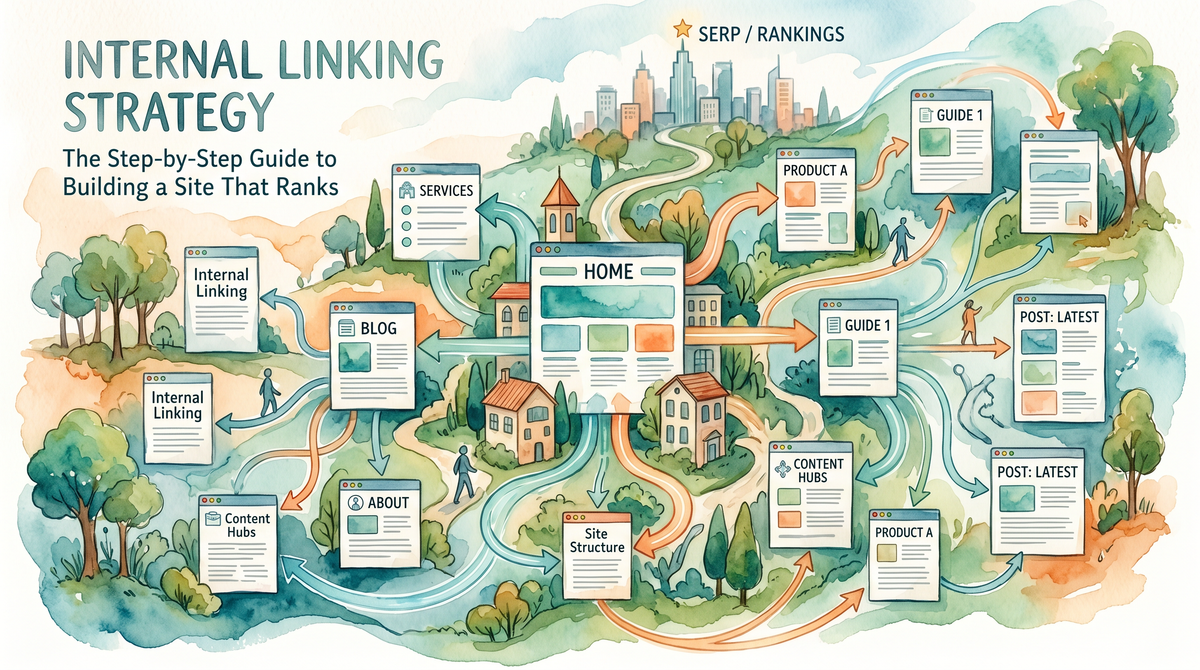
An internal linking strategy is a deliberate system for connecting pages within your own website to distribute authority, improve crawlability, and guide both users and search engines through your content. Done well, it is one of the highest-leverage SEO actions you control completely — no outreach, no waiting, no budget for backlinks. Research shows internal linking can boost search rankings by up to 40%, improve crawl efficiency by 40% to 70%, and drive traffic increases of 31% or more in just a few months!
Let's be honest: most sites treat internal linking like an afterthought. A link tossed into a paragraph here, a "related posts" widget bolted on there. That casual approach is leaving real rankings on the table. This guide walks you through exactly how to fix it.
Why Internal Linking Actually Matters in 2026
Here's the thing — Google doesn't just crawl your homepage and wish you luck. It follows links. Roughly 25% of pages have zero internal links, and large-site log analysis suggests fewer than half of pages receive sufficient internal links. Orphaned pages are hard for Google to find and rank. That means a huge chunk of your content is essentially invisible, and no amount of on-page optimization fixes that.
Internal links do three big jobs simultaneously:
Pass link equity (PageRank) from strong pages to pages that need a rankings boost
Signal topical relationships so Google understands what your site is an authority on
Guide users deeper into your content, reducing bounce rate and increasing session time
Google's John Mueller has called internal linking "super critical for SEO... one of the biggest things you can do on a website." That quote is from a public Google webmaster session, and the data backs it up hard.
What I wish someone had told me early on: fixing internal links on existing content often outperforms publishing brand-new articles. Every major ranking boost in 2024 and 2025 came from reorganizing internal structure, not adding new links from external sites. Start with what you already have.
The Foundational Framework: Pillar Pages and Topic Clusters
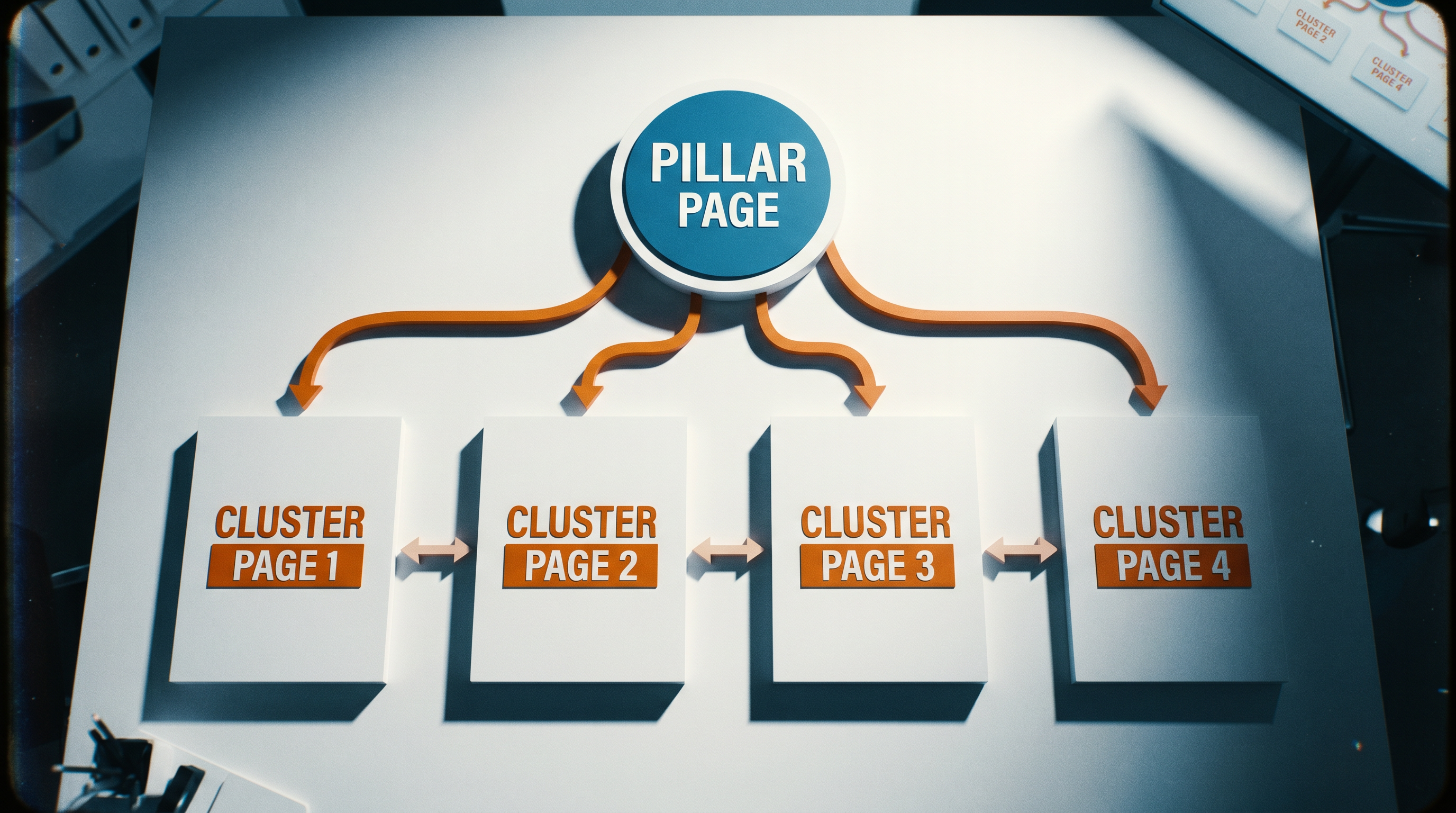
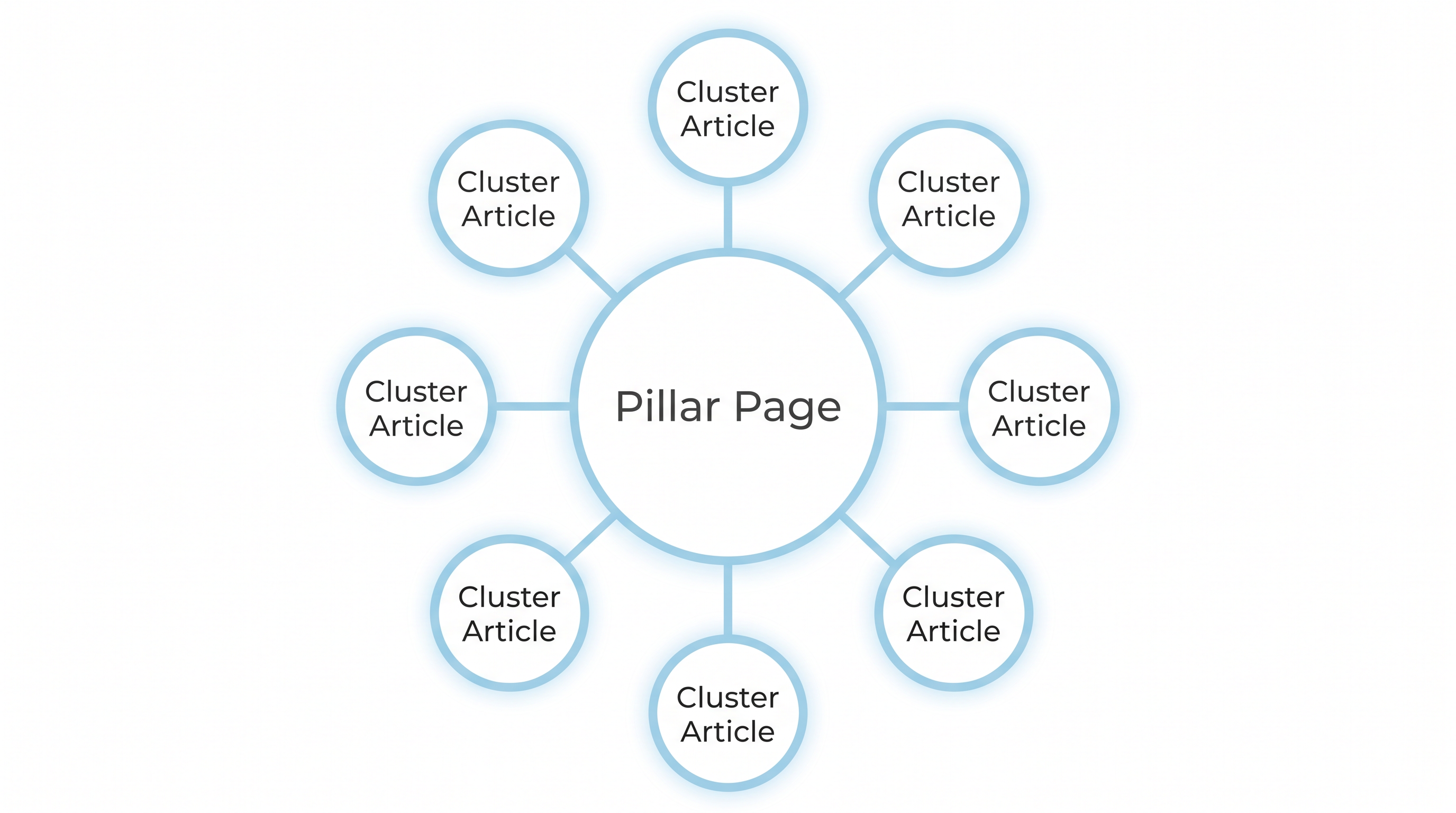
The most proven internal linking architecture in 2026 is the pillar-cluster model. You build one comprehensive SEO pillar page targeting a broad, competitive keyword, then surround it with cluster articles that target related subtopics. Every cluster article links back to the pillar. The pillar links out to the clusters. Authority circulates in a closed loop.
Think of it like a wheel. The pillar page is the hub. The cluster content is the spokes. If you remove spokes, the wheel wobbles. If spokes don't connect to the hub, the wheel collapses.
Page Type | Role | Typical Word Count | Links To |
|---|---|---|---|
Pillar Page | Authority hub, broad topic | 3,000 – 5,000+ | All cluster pages |
Cluster Article | Subtopic deep-dive | 1,200 – 2,500 | Pillar page + related clusters |
Supporting Post | Long-tail, specific intent | 800 – 1,500 | Nearest cluster article |
Building a solid topic cluster content strategy before you write a single word saves you from the messy retrofitting work that most bloggers face six months in. Plan the links first, then write the content around them.
Step-by-Step: How to Build Your Internal Linking Strategy
Fair warning — this takes longer than you'd expect the first time around. Budget a full day for a site with 50+ pages. It's worth it.
Step 1: Audit Your Existing Links
Before you build anything new, map what you already have. Use a crawl tool (Screaming Frog free tier works for up to 500 URLs, Sitebulb is excellent for visuals) to export every internal link on your site. You're looking for:
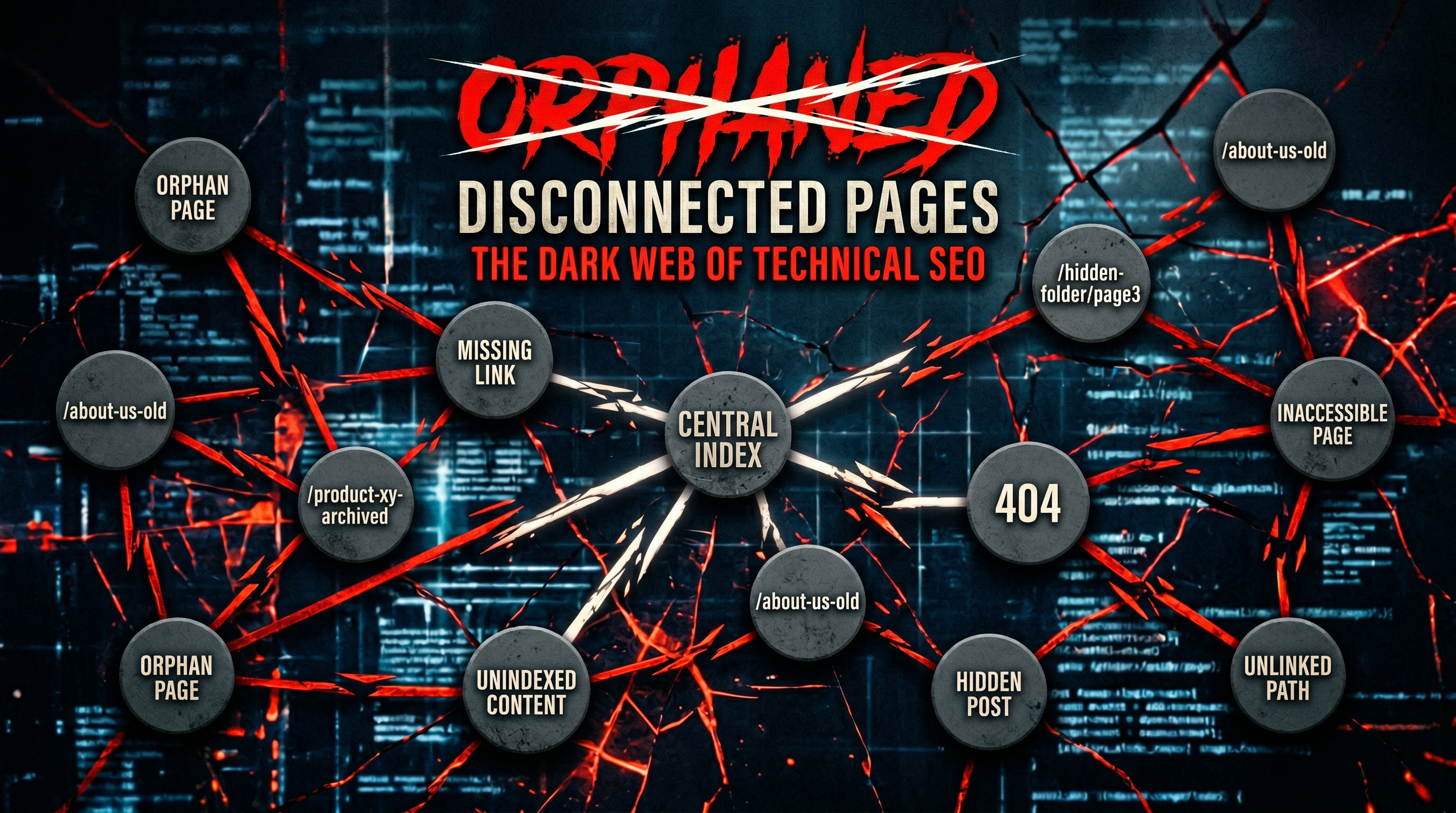
Orphan pages with zero internal links pointing to them
Pages with only one or two inbound internal links
Broken internal links returning 404 errors
Links pointing to redirect URLs instead of the final destination
Step 2: Identify Your Priority Pages
Not every page deserves equal link equity. Decide which pages are your money pages — the ones that generate leads, rank for competitive keywords, or convert visitors. These pages should receive the most internal links from high-authority pages across your site. For most businesses, priority pages include product/service pages, high-traffic blog posts, and pillar content.
Step 3: Map Your Topic Clusters
Group your existing content into themes. Every piece of content should belong to exactly one cluster. If it fits nowhere, it's either a new pillar opportunity or a content that needs to be merged or redirected. Building genuine topical authority in SEO requires this kind of organized clustering — scattered content on random topics dilutes your signal.
Step 4: Write the Links into Your Content
Go page by page through each cluster and add contextual links. Contextual means the link lives inside a relevant paragraph, not a sidebar or footer widget. Aim for 2 to 5 contextual links per 1,000 words, and keep total page links under 150 to maintain link equity.
"Treat internal linking like infrastructure. It determines how search engine bots and real people move through your site."
Step 5: Optimize Your Anchor Text
Anchor text is the clickable words in a link. This is where a lot of sites get lazy and just write "click here" or "read more." That's wasted signal. Pages using exact-match anchor text saw five times more traffic than those using generic phrases like "click here" or "read more." Use descriptive, keyword-rich phrases that describe the page you're linking to. Vary them slightly across multiple links to the same page so it doesn't look robotic.
Step 6: Fix Your Click Depth
Every important page on your site should be reachable within three clicks from the homepage. For sites over 1,000 pages, crawl depth optimization is a technical ranking factor. Pages four or more clicks from the homepage see 70% less crawl frequency. If your best content is buried six layers deep, Google may never prioritize it.
Step 7: Audit and Repeat Quarterly
Your site grows. New content creates new linking opportunities for old content. Set a recurring quarterly reminder to run a fresh crawl and find new orphan pages or under-linked posts. Internal linking is ongoing infrastructure, not a one-time project.

Quick-Reference Checklist: Your Internal Linking Strategy ✅
Run a full site crawl and export all internal links
Identify orphan pages (zero internal links pointing to them)
List your top 5–10 priority/money pages
Group all content into topic clusters with one pillar per cluster
Add 2–5 contextual internal links per 1,000 words on each page
Use descriptive, keyword-relevant anchor text (not "click here")
Ensure all priority pages are within 3 clicks of the homepage
Fix any links pointing to 301 redirects — update to the final URL
Check that pillar pages link to clusters and clusters link back
Schedule a quarterly re-audit as you publish new content
Tools You'll Need
You don't need an expensive stack. Here's what actually gets the job done:
Tool | Primary Use | Cost |
|---|---|---|
Screaming Frog | Site crawl, orphan page detection | Free up to 500 URLs / £259/yr |
Google Search Console | See which pages have few inbound links | Free |
Sitebulb | Visual architecture mapping | From $13.50/mo |
Rankcow | Automated internal linking as part of full SEO content pipeline | Subscription-based |
LinkWhisper | WordPress-specific link suggestions | $77/yr |
There are several strong internal linking tools worth evaluating based on your site's size and CMS. For teams already managing a content calendar, tools that automate link placement at publication time save the most hours.
This is one area where automation genuinely changes the math. Platforms like Rankcow handle internal linking as part of a full content pipeline, automatically inserting contextually relevant links as new articles are published. For SaaS founders or small business owners publishing at scale, that's the difference between a strategy that actually runs and one that lives in a Notion doc forever.
Common Pitfalls to Avoid
Linking to the homepage too often. The homepage is almost always your highest-authority page already. Link to it sparingly. Push that equity toward pages that actually need it.
Using the same anchor text every time. Linking to the same page with identical anchor text 20 times looks manipulative. Vary the phrasing.
Over-linking a single page. Reducing the number of links in a link block led to more focused distribution of link equity, which improved the ranking of the remaining linked-to pages. More links per page doesn't always mean more benefit.
Ignoring redirect chains. If Page A links to Page B, which 301-redirects to Page C, you're leaking equity. Update the link to go directly to Page C.
Linking only from new content. Your older, high-authority posts are your best linkers. Go back to them and add links to newer content.
Building clusters without a real keyword map. Clustering random topics together doesn't work. Each cluster needs to be built around a clear head keyword and genuine search intent.
Frequently Asked Questions
How many internal links should a page have?
There's no single magic number, but a useful working rule is 2 to 5 contextual links per 1,000 words of body content. Keep the total number of all links on a page (navigation, footer, body combined) under 150 to avoid diluting link equity too thin. Quality and relevance matter more than volume. A page with 10 highly relevant internal links beats a page with 50 random ones every time.
What's the difference between a pillar page and a regular blog post?
A pillar page is a comprehensive, authoritative piece of content targeting a broad head keyword. It covers a topic at a high level and links out to cluster articles that go deeper on specific subtopics. A regular blog post typically targets a narrower, more specific keyword and links back up to the pillar. The pillar is the hub; the blog posts are the spokes. You can read a full breakdown in our SEO pillar page guide if you want the detailed structure.
Does internal linking help with AI search engines like Perplexity and ChatGPT?
Yes, increasingly so. Internal linking now impacts visibility in AI answer engines like ChatGPT, Perplexity, and Google AI Overviews. These systems crawl and index the web similarly to traditional search engines. A tightly linked site with clear topical clusters signals depth of expertise, which is exactly what AI engines use to decide which sources to cite. Strong internal linking structure is a key part of getting your content surfaced by AI-generated answers.
How long before I see results from fixing internal links?
51% of marketers see positive results within just a few months after implementing internal linking strategies. Pages that were previously orphaned or under-linked often see faster indexation and improved rankings within 4 to 8 weeks of being properly linked. High-competition keywords take longer. The crawl cycle and Google's re-evaluation process are the real variables — your job is to give it the clearest possible signal and wait.
Can I automate internal linking?
Yes, and for sites publishing content regularly, you probably should. Manual internal linking at scale is genuinely tedious — this is one of those "what I wish I'd automated sooner" moments. Tools range from WordPress plugins like LinkWhisper (which suggests links as you write) to full-pipeline platforms like Rankcow, which automatically handles internal linking across every article published. The key is making sure automated links are contextually relevant, not just keyword-matched noise.
Rankcow takes the manual grind out of internal linking entirely. As part of its fully automated SEO content pipeline, Rankcow intelligently builds internal links across every article it publishes — distributing authority, reinforcing topic clusters, and keeping your site architecture tight without you touching a spreadsheet. If you're publishing content at scale and want your internal linking handled on autopilot, see what Rankcow can do for your site.